
How Kerno costs a product
Updated October 28, 2026
Understand where a product's cost per unit comes from. Kerno keeps two figures for every product or variant, an estimate and an actual, and uses one of them for margins.
The two costs
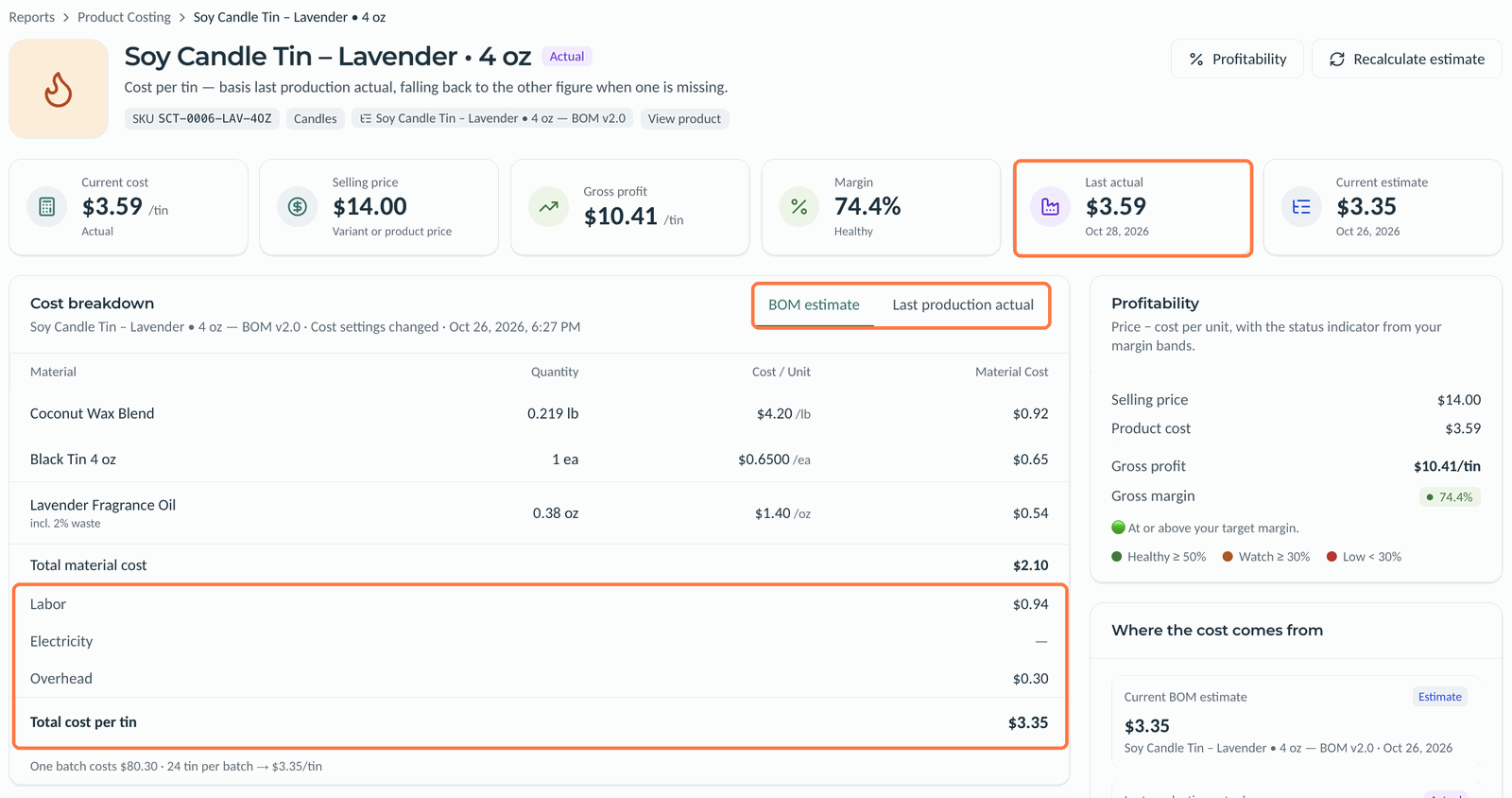
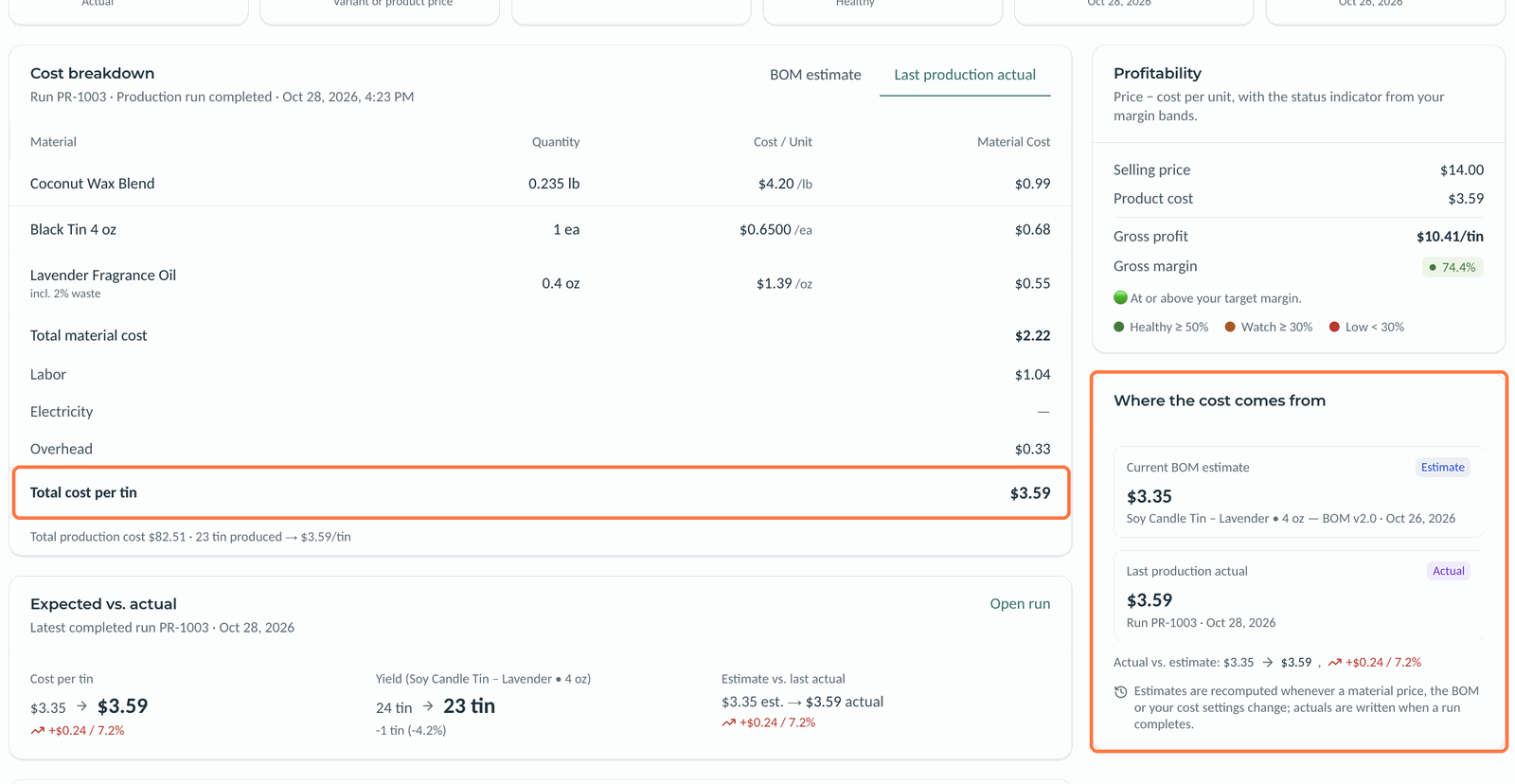
- BOM estimate prices the active published BOM at today's material costs, plus labor, electricity and overhead. It's recomputed whenever a material price, the BOM or your cost settings change.
- Last production actual is what the latest completed production run really cost, divided by the good units it made. It's written when a run completes.
 (opens the full-size image in a new tab)
Each figure adds up the same parts:
- Materials: each BOM line's quantity at the material's current cost, waste included.
- Labor: each step's time at its labor rate, when the BOM tracks labor.
- Electricity: each step's resource power times its hours, at your electricity rate, when electricity is tracked.
- Overhead: a percentage on top of materials, labor and electricity.
Which cost Kerno uses
The Margin cost basis in Settings, Costing decides the product's current cost. Last production actual is the default. It falls back to the estimate until a run completes. Current BOM estimate does the opposite. See Labor, electricity and overhead settings.
 (opens the full-size image in a new tab)
See a product's cost
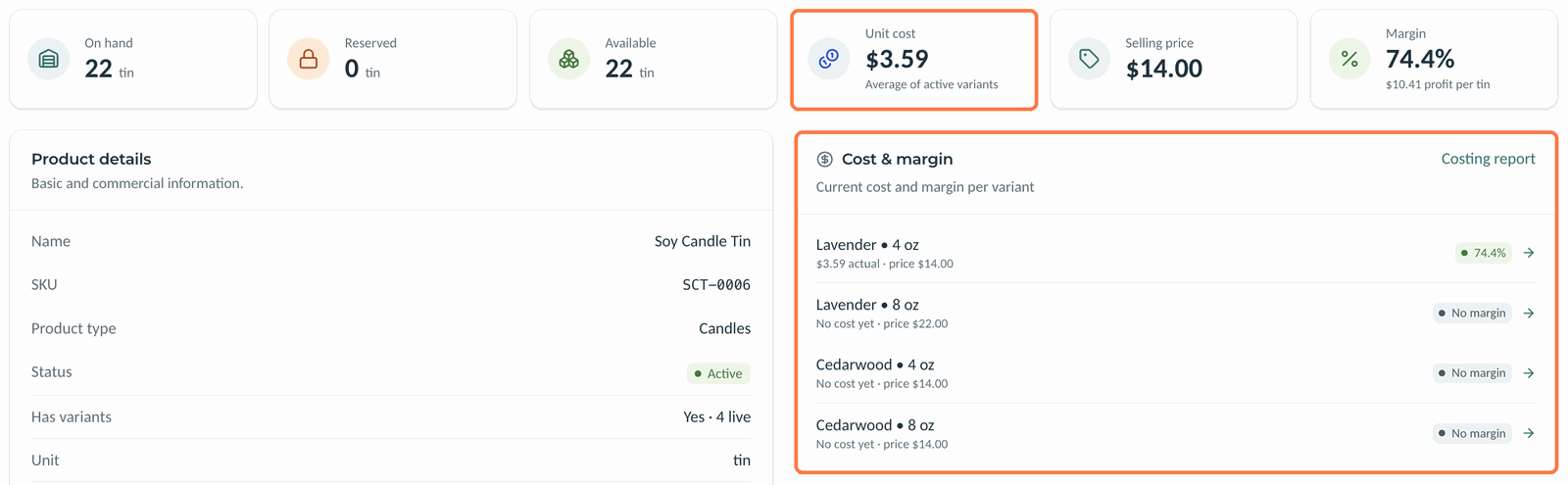
- Open the product. The Unit cost, Selling price and Margin are at the top, and Cost & margin lists each variant.
- Click a variant in Cost & margin to open its costing page.
- Switch between BOM estimate and Last production actual in Cost breakdown.
 (opens the full-size image in a new tab)
The costing page also shows Expected vs. actual for the latest run and a Cost history of every estimate and actual, with what triggered it.
Good to know
- Margin is (price minus cost) divided by price.
- A material's current cost depends on the Costing choice in its settings. With Last purchase price, it follows the preferred SKU's price and the latest receipt. With Manual, you set the cost yourself, and receipts and SKU prices don't change it.
- A product shows no cost until it has a published BOM or a completed run.
- If a material has no cost, the product's cost is flagged incomplete.
- Recalculate estimate on the costing page recomputes the estimate now.
Related articles
Still need help?
Can't find what you're looking for? Our support team will help.