
The reports, one by one
Updated October 28, 2026
On this page (7)
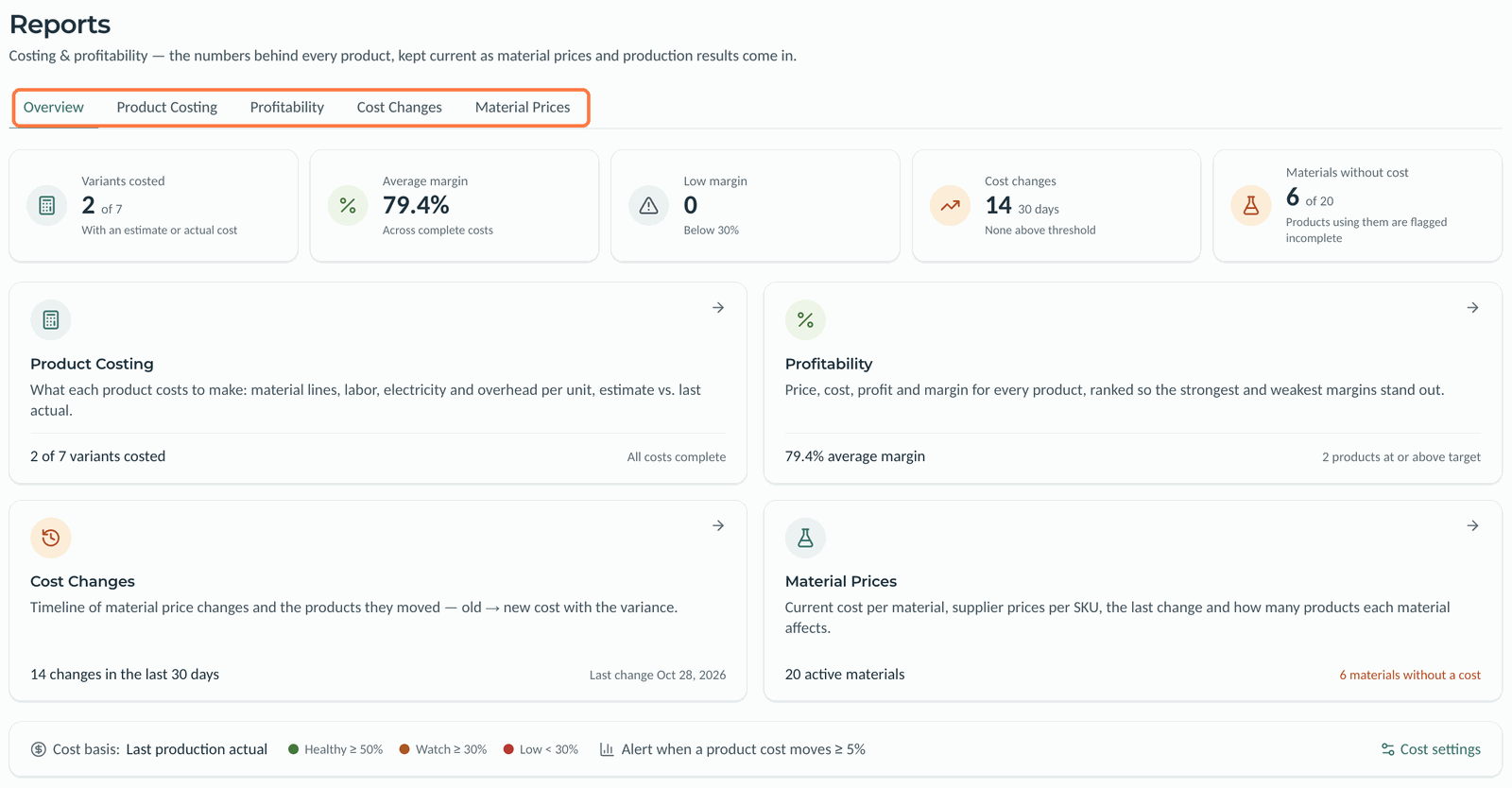
Find out what your products cost, which ones earn the most and how price changes affect them. Go to Reports; the tabs are Overview, Product Costing, Profitability, Cost Changes and Material Prices.
 (opens the full-size image in a new tab)
Overview
This tab has cards for the variants with a cost, the average margin, low-margin products, cost changes in the last 30 days and materials without a cost, plus a link to each report. The strip at the bottom shows your cost basis and margin bands, with a link to Cost settings.
Product Costing
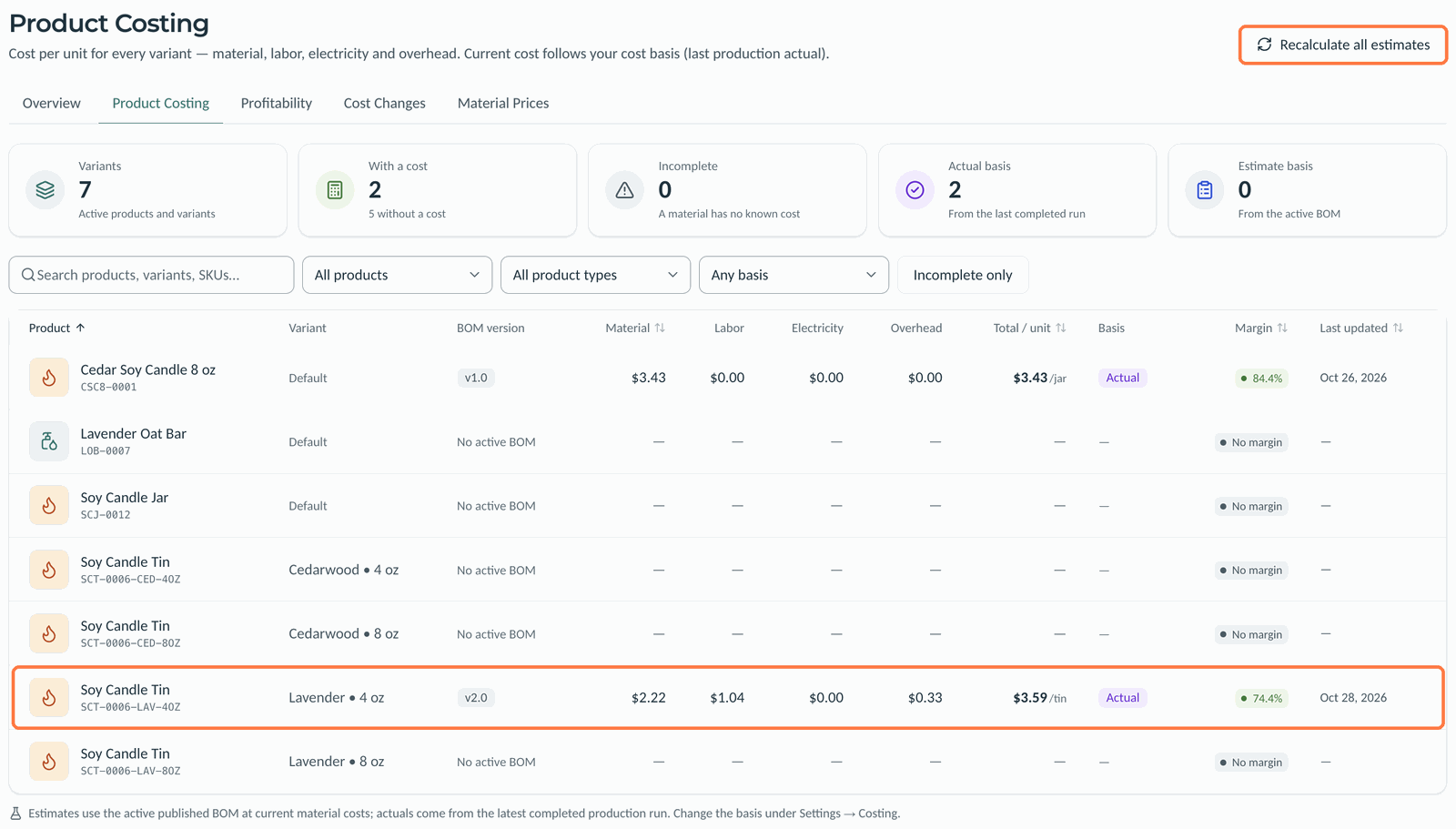
Each variant's cost per unit, split into material, labor, electricity and overhead, with its BOM version, basis (estimate or actual), margin and last update. Filter by product, product type or basis, or show Incomplete only. Recalculate all estimates recomputes every estimate.
 (opens the full-size image in a new tab)
Profitability
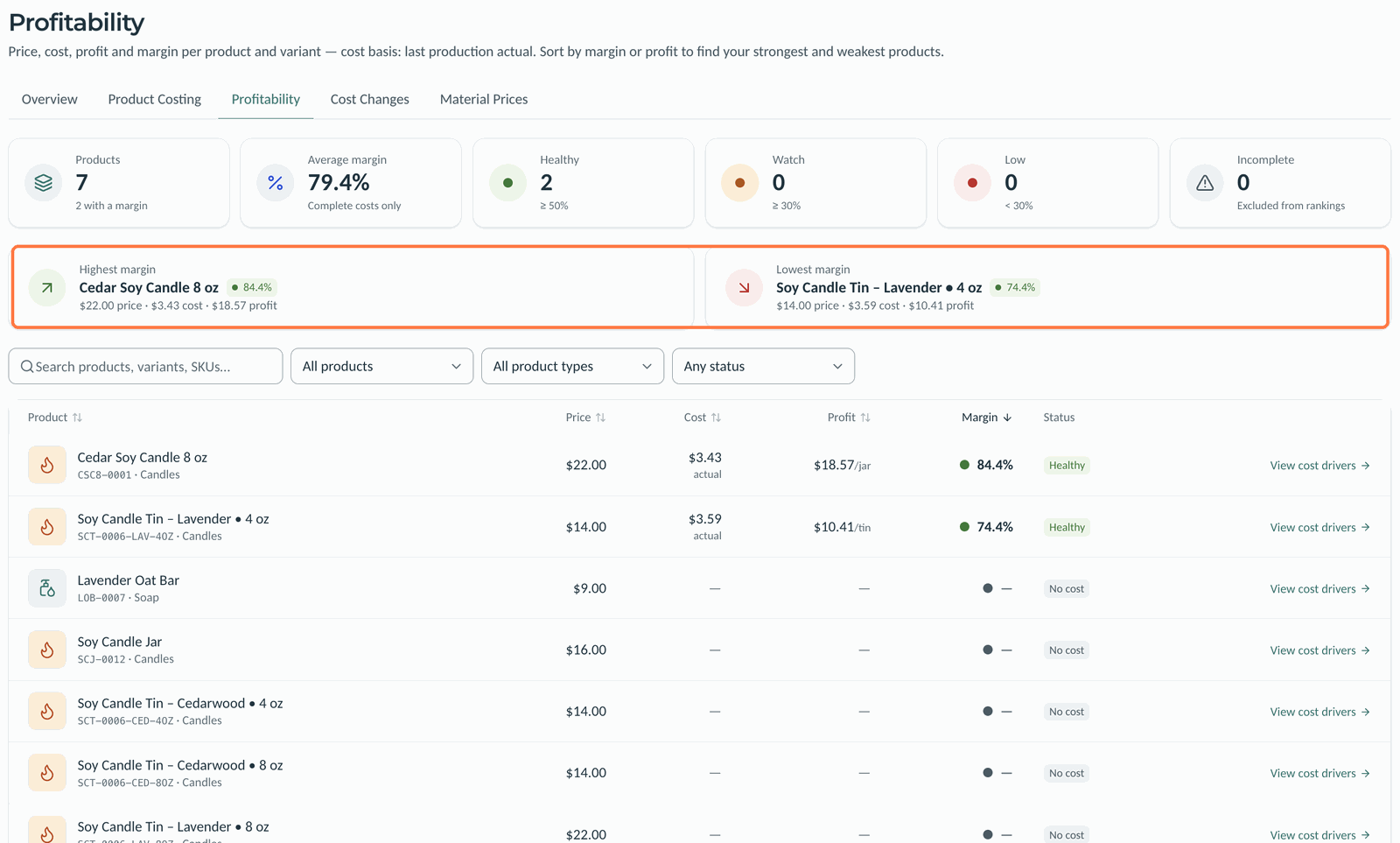
Price, cost, profit and margin for every product and variant, with its status: Healthy, Watch, Low, No cost or Incomplete. The highest and lowest margins are shown at the top. Sort by margin or profit, and click View cost drivers for a product's costing page.
 (opens the full-size image in a new tab)
Cost Changes
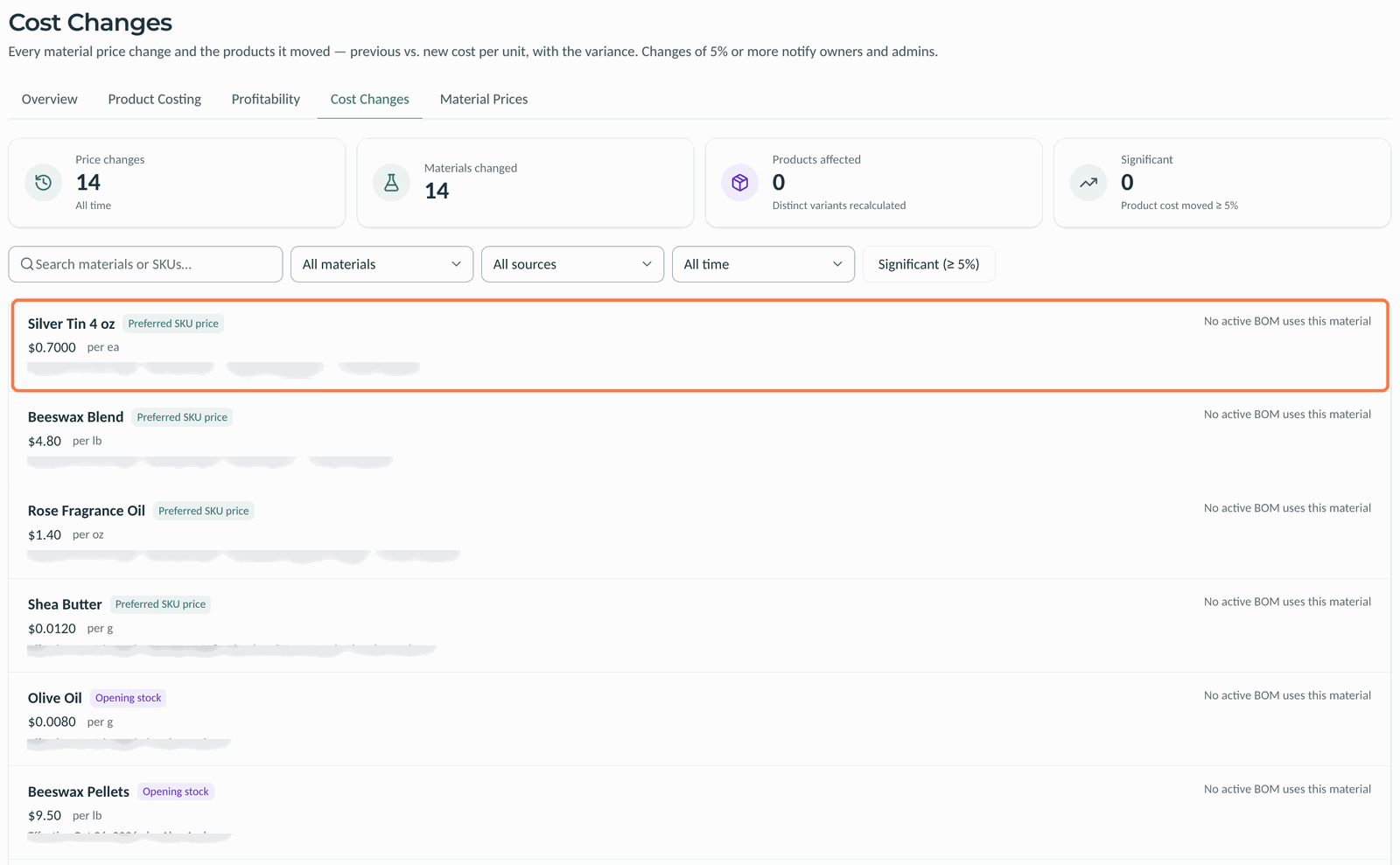
A timeline of every material price change: the new price, where it came from (opening stock, preferred SKU price, purchase receipt or manual update), who made it, and the products it moved, old cost to new. Filter by material, source or date, or show Significant (≥ 5%) changes only.
 (opens the full-size image in a new tab)
Material Prices
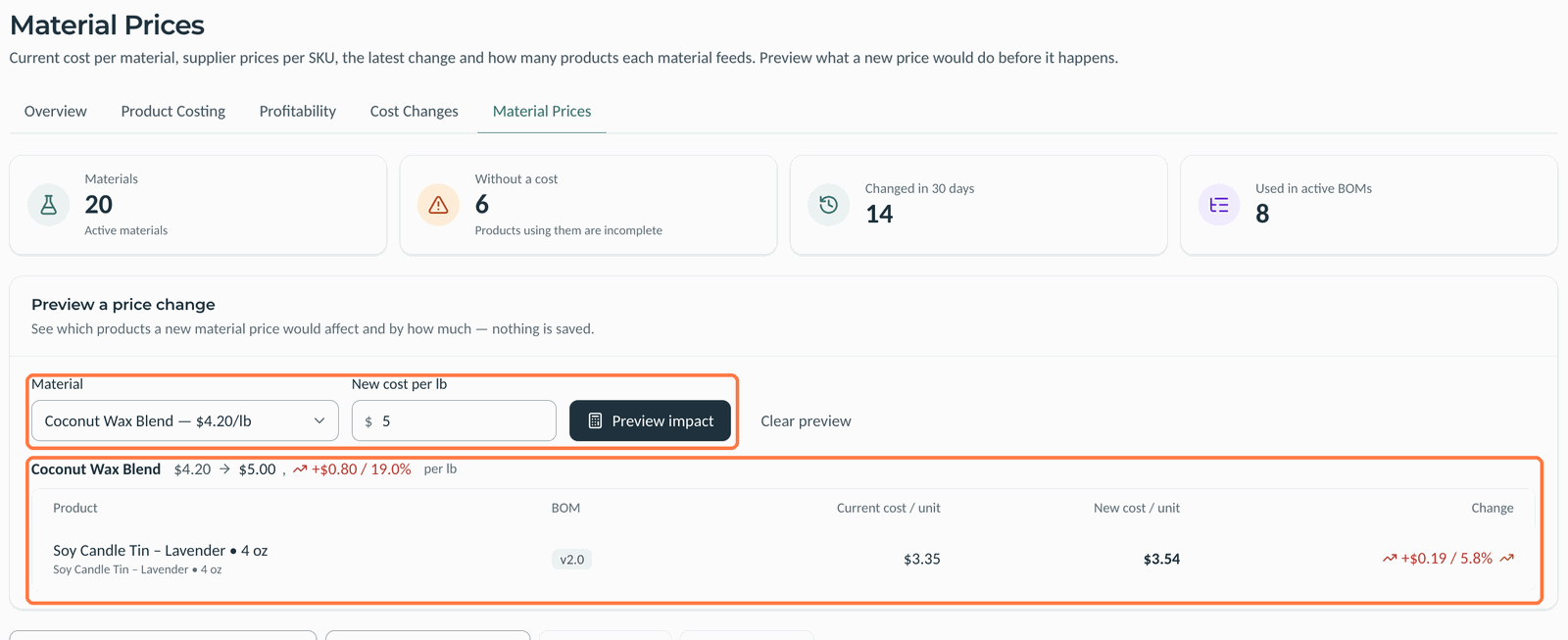
Each material's current cost, its last change, its suppliers' prices and how many products use it. Filter to Without a cost or In active BOMs.
To see what a new price would do:
- Under Preview a price change, choose the Material.
- Enter the New cost.
- Click Preview impact.
Kerno lists each product it would affect with its current and new cost per unit. Nothing is saved; click Clear preview to start over.
 (opens the full-size image in a new tab)
Good to know
- Margin bands and the cost basis come from Settings, Costing.
- Only the preferred SKU's price and purchase receipts change a material's current cost. Other supplier prices are shown for comparison.
- A product with a material that has no cost is left out of the rankings.
Related articles
Still need help?
Can't find what you're looking for? Our support team will help.