
Production steps, labor and packaging
Updated October 28, 2026
On this page (6)
Tell your team how a product is made and what it costs to make. In the BOM builder, add the steps, their time and labor, the packaging, the quality checks and what one batch produces.
Add production steps
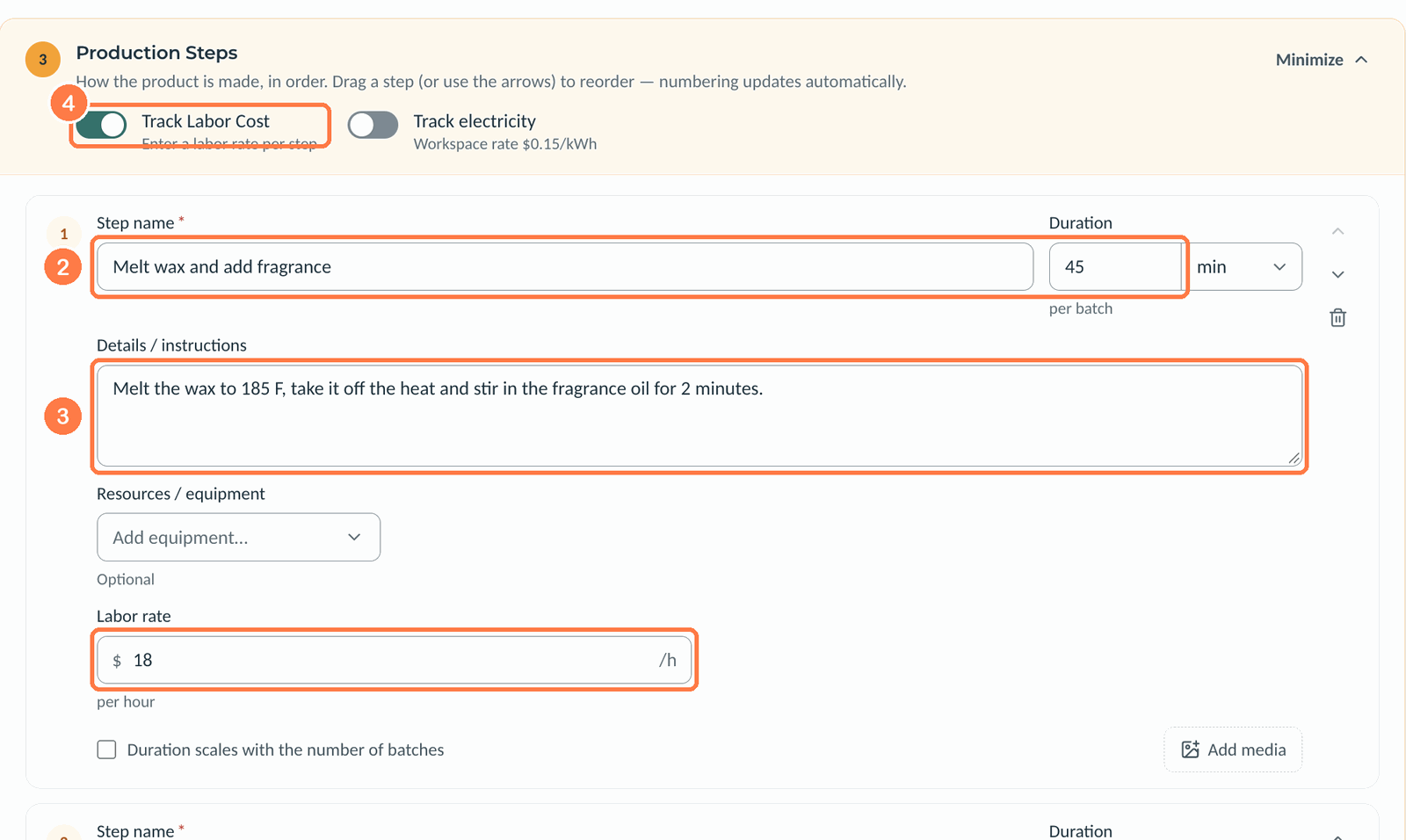
- In Production Steps, click Add first step.
- Type the Step name and its Duration per batch, in minutes or hours.
- Write what the operator should do in Details / instructions.
- To include labor in the cost, turn on Track Labor Cost and enter the step's Labor rate per hour.
- Click Add step for the next one.
 (opens the full-size image in a new tab)
Total time per batch adds up the steps. Drag a step, or use its arrows, to change the order. Operators see the steps on every production run made from the BOM.
- Resources / equipment is optional and lists the equipment a step uses.
- Duration scales with the number of batches makes the time grow when a run makes more than one batch.
- Track electricity adds power cost at your workspace's rate per kWh.
Add packaging
Packaging goes in its own group in Components & Materials, such as the Packaging group from Start with Ingredients + Packaging. Add tins, jars, labels and wicks there, counted in ea. While Include in total weight is off for its group, packaging stays out of the batch weight.
 (opens the full-size image in a new tab)
Add quality checks
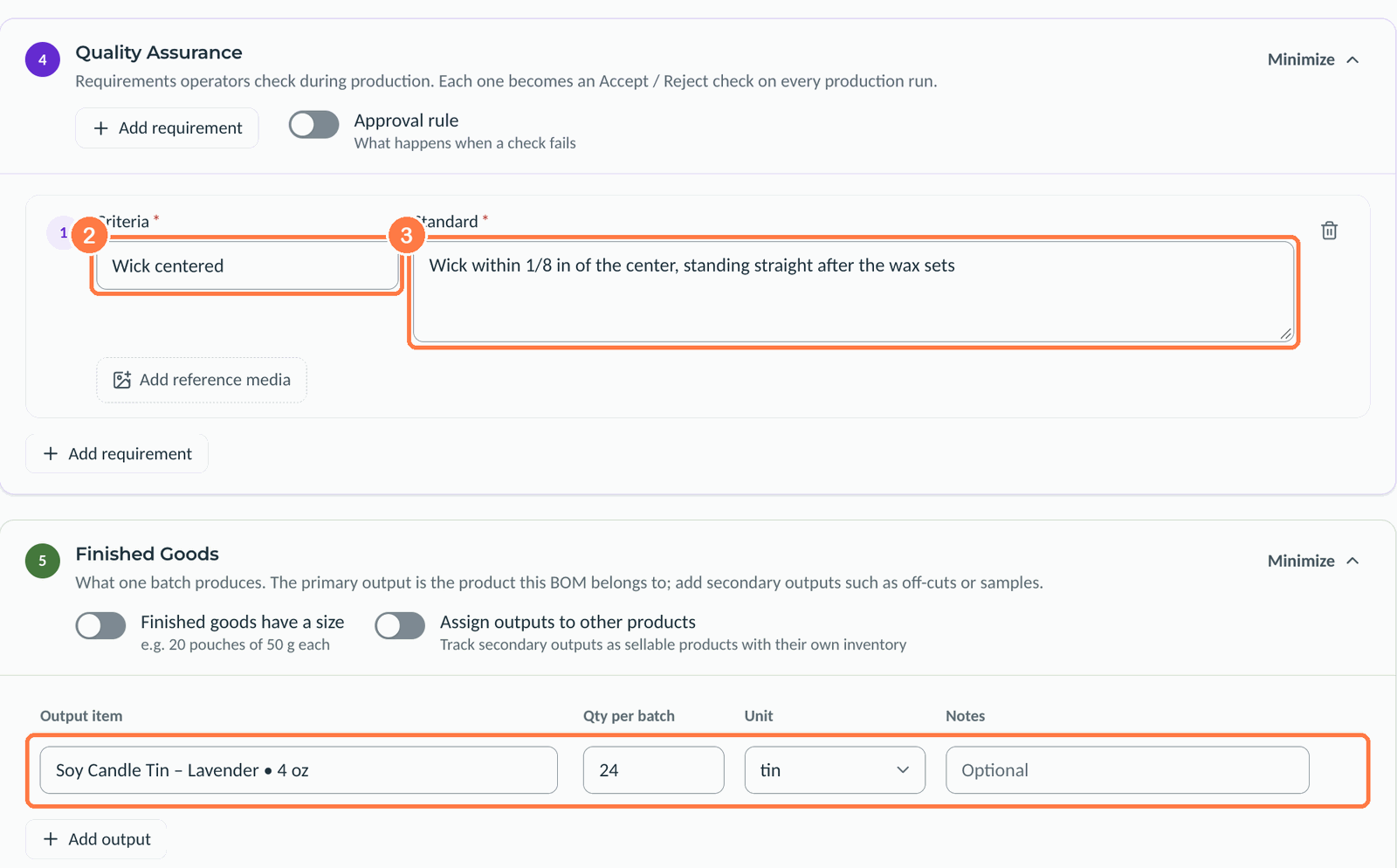
- In Quality Assurance, click Add first requirement.
- Type the Criteria, such as Wick centered.
- Type the Standard it must meet.
 (opens the full-size image in a new tab)
Each requirement becomes an Accept or Reject check on every production run.
Finished goods and cost
Finished Goods shows what one batch makes: the BOM's product and its quantity per batch. Click Add output for a second output, such as samples, and turn on Finished goods have a size for goods like 20 pouches of 50 g.
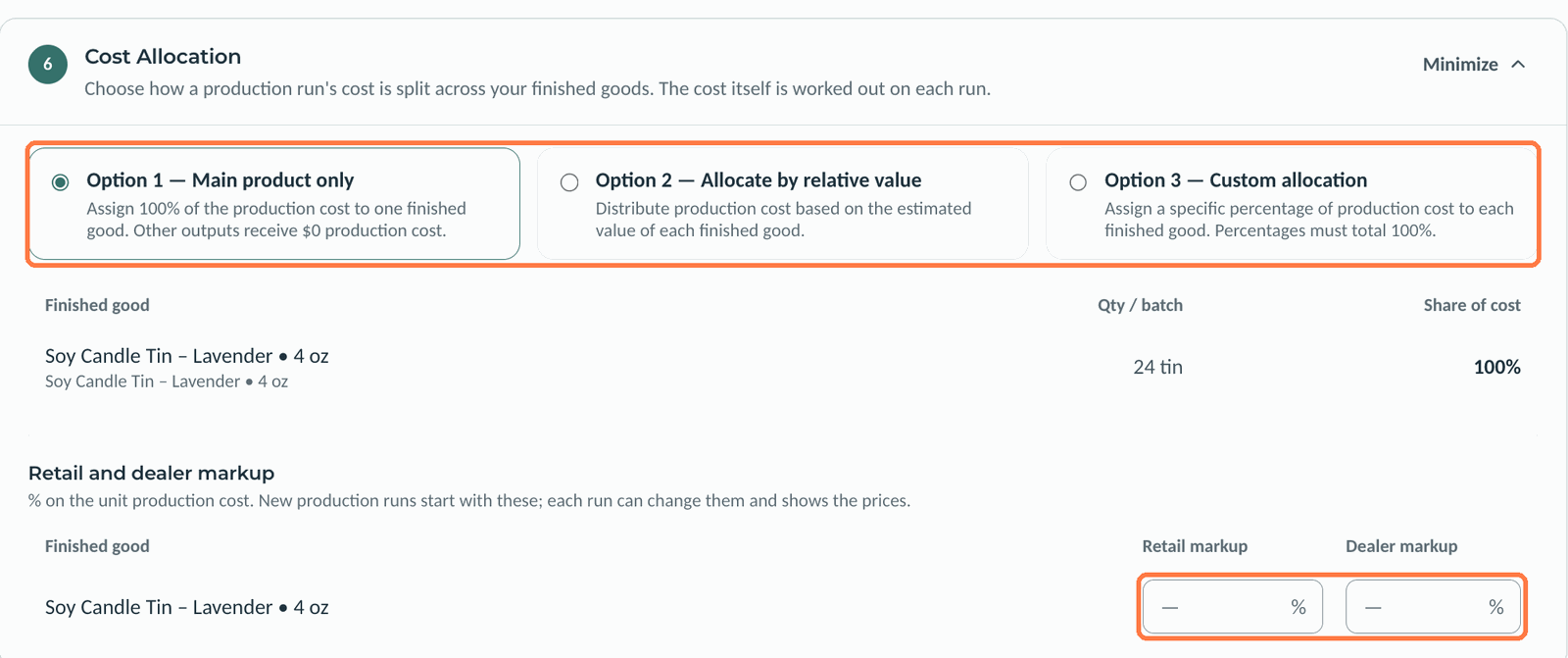
Cost Allocation splits a run's cost across the finished goods:
- Main product only (option 1) gives all the cost to one finished good.
- Allocate by relative value (option 2) splits it by each good's estimated value.
- Custom allocation (option 3) uses percentages that total 100%.
Retail and dealer markup sets the markup on the unit production cost that new production runs start with.
 (opens the full-size image in a new tab)
Good to know
- With Track Labor Cost on, the BOM's estimated cost per unit includes the labor from its steps.
- Notes in Batch size are shown to operators on production runs made from the BOM.
Related articles
Still need help?
Can't find what you're looking for? Our support team will help.