
From Draft to Completed: reserving, starting and recording actuals
Updated October 28, 2026
On this page (3)
Take a production run from plan to finished batch. A run moves through Draft, Ready, In Progress, QA Batch and Completed, and each stage changes your stock in its own way.
 (opens the full-size image in a new tab)
Run the batch
- On a run in Draft, click Mark Ready. Kerno reserves the materials, so other runs can't use them, and locks the plan.
- Click Start Production. The run moves to In Progress and the materials are taken from stock.
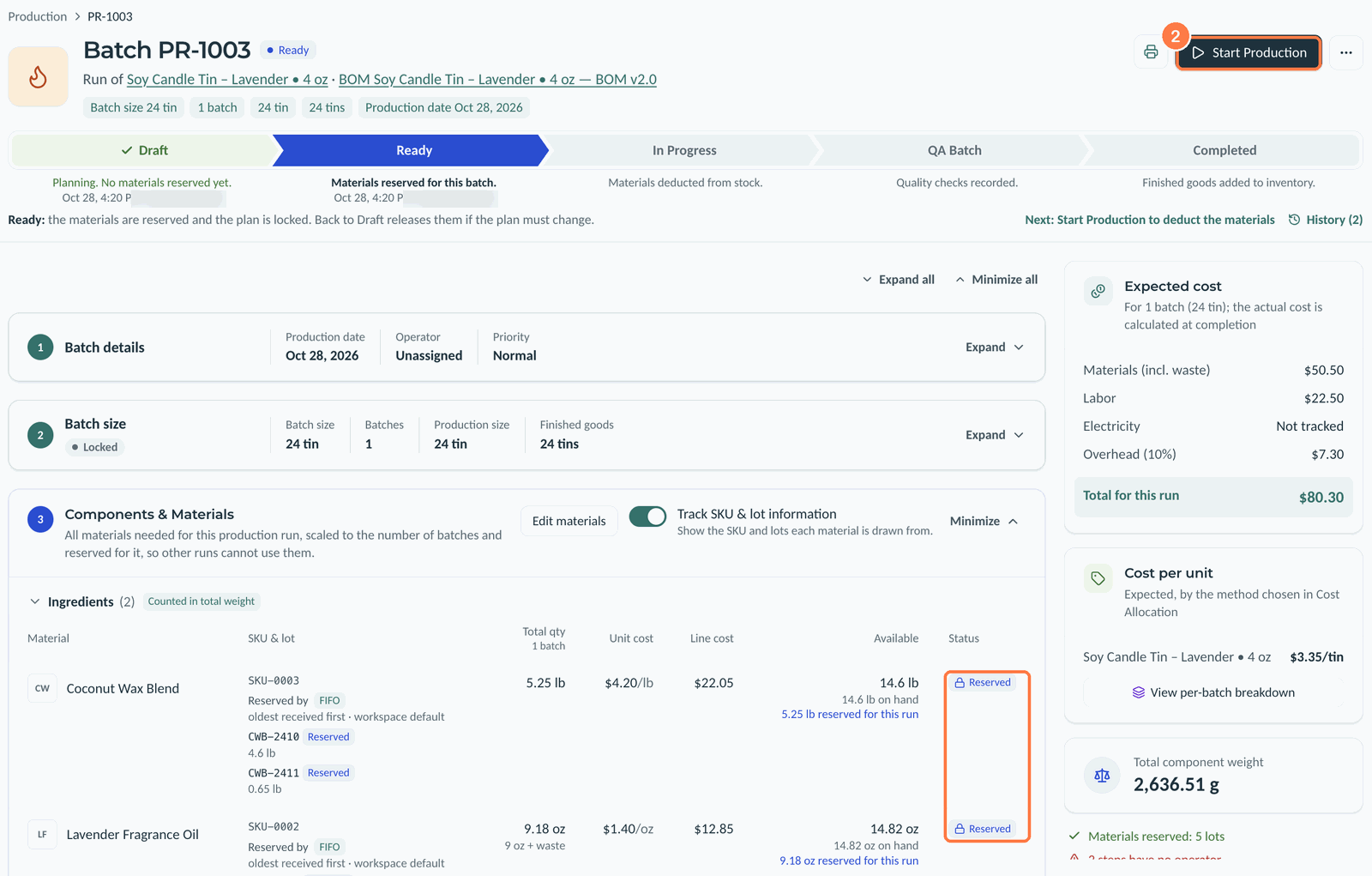 (opens the full-size image in a new tab)
- Under Components & Materials, enter what you Actually used if it differs from the plan, and choose a Variance reason, such as Over-pour. Kerno shows the difference beside it.
- Click Save progress.
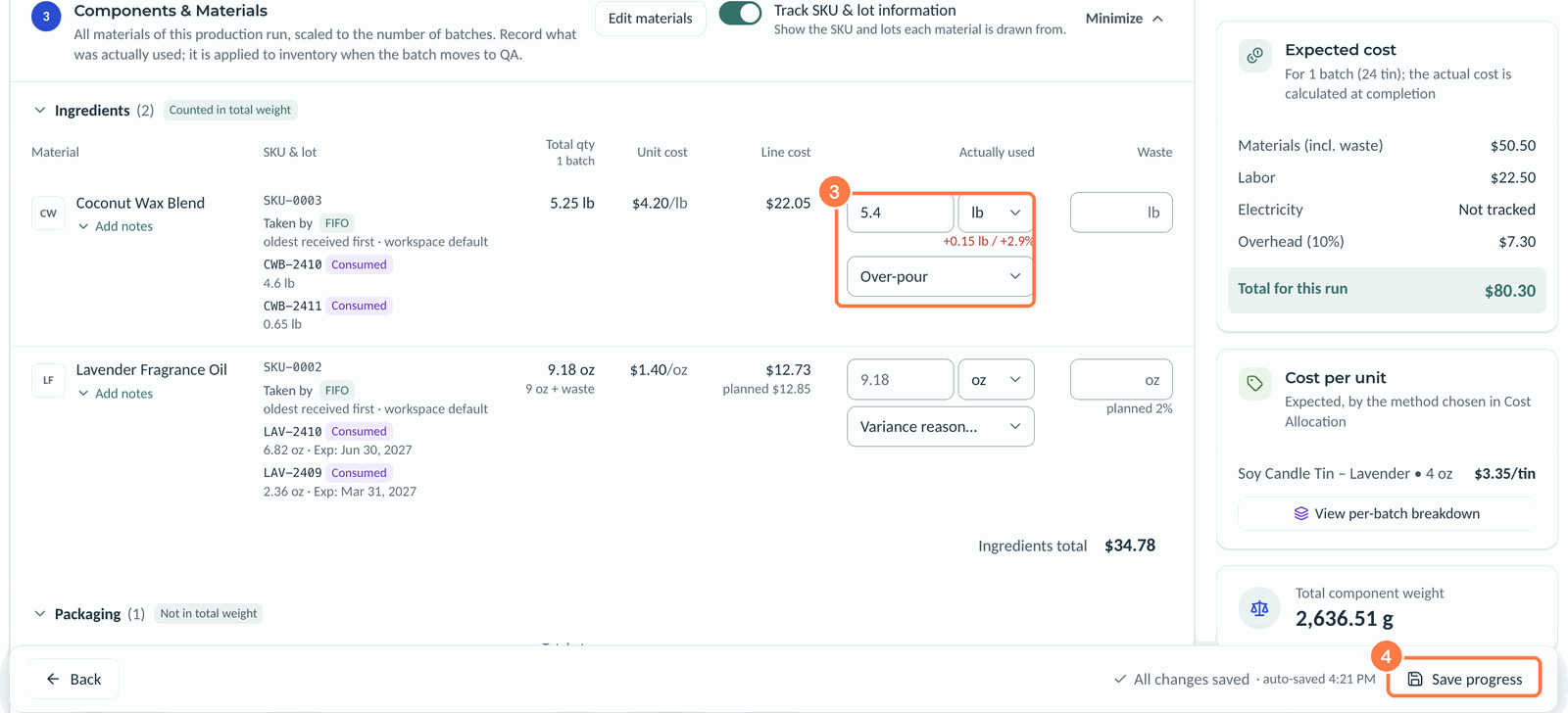 (opens the full-size image in a new tab)
- Under Production Steps, enter each step's Time and set its Status to Done.
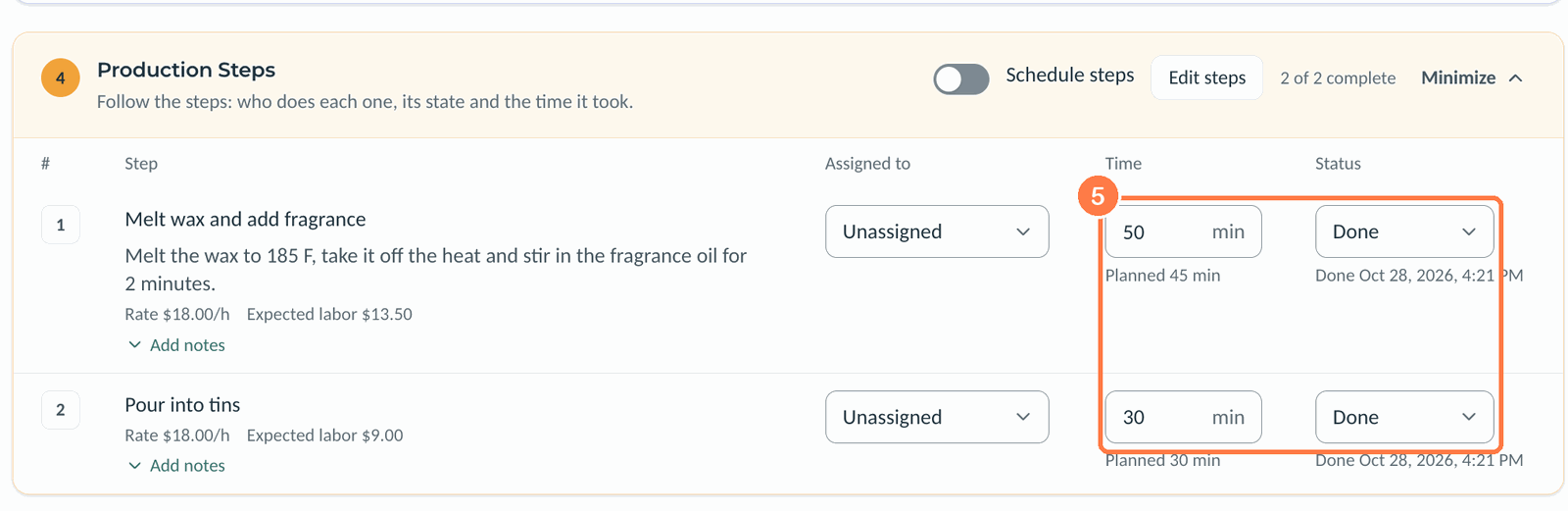 (opens the full-size image in a new tab)
- Under Finished Goods, enter the Actual output in good units and, if it differs from the plan, a Reason.
- Add any Damaged units, Failed units or Waste / scrap, and the Storage location. Leave Finished lot number blank and Kerno numbers the lot.
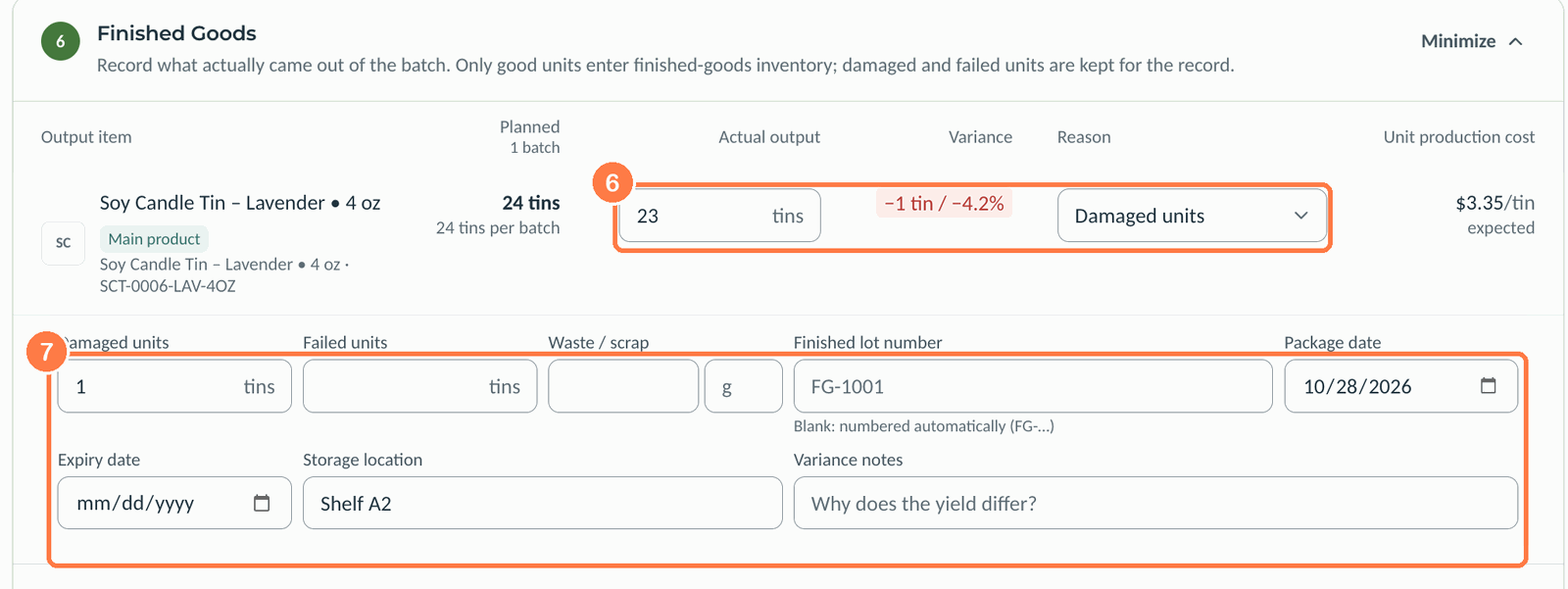 (opens the full-size image in a new tab)
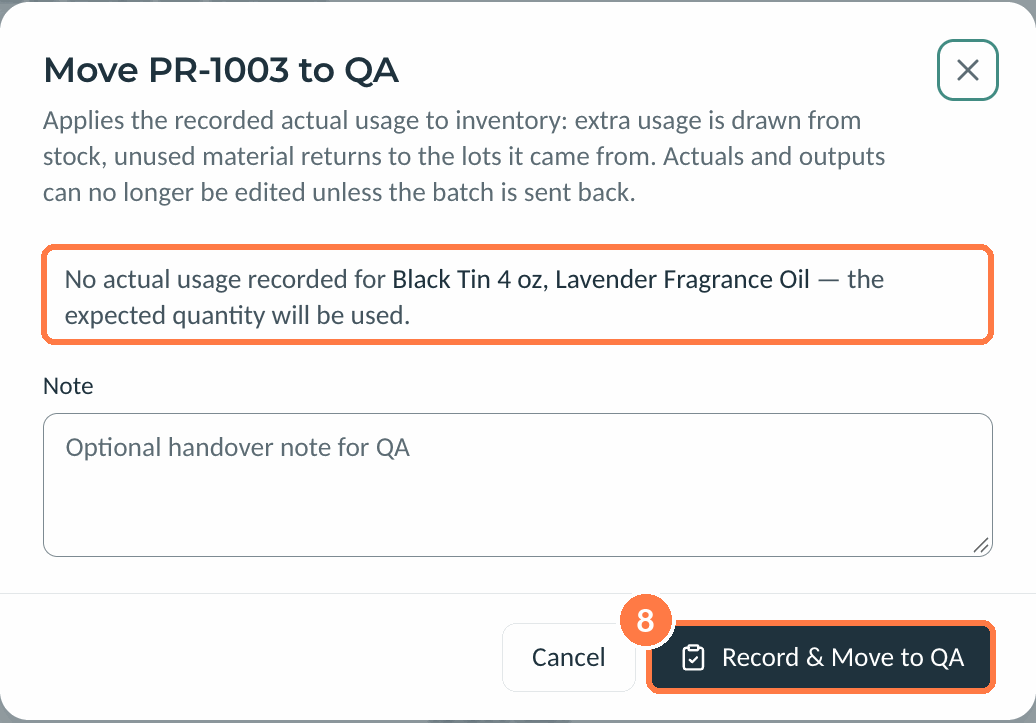
- Click Record & Move to QA, add a handover note if you like, and click Record & Move to QA again.
 (opens the full-size image in a new tab)
Moving to QA applies your actual usage to inventory. Kerno draws any extra usage from stock and returns unused material to the lots it came from. A line with no actual usage counts as the planned amount. After this, you can't change actuals or outputs unless the batch is sent back.
Good to know
- Only good units go into finished-goods inventory.
- If the plan on a Ready run must change, going back to Draft releases the reservations.
- Turn on Track SKU & lot information to see the lots each material is drawn from. Lots follow the material's allocation method, such as FIFO.
- History at the top right lists every change of stage, with who made it and when.
Related articles
Still need help?
Can't find what you're looking for? Our support team will help.