
Materials & Inventory
Add finished goods you already have
Enter the finished goods already on your shelf so Kerno has them in stock, with a value, ready for orders. Add your stock. Go to Inventory, then Finished…
On this page (3)
Enter the finished goods already on your shelf so Kerno has them in stock, with a value, ready for orders.
Add your stock
 (view larger)
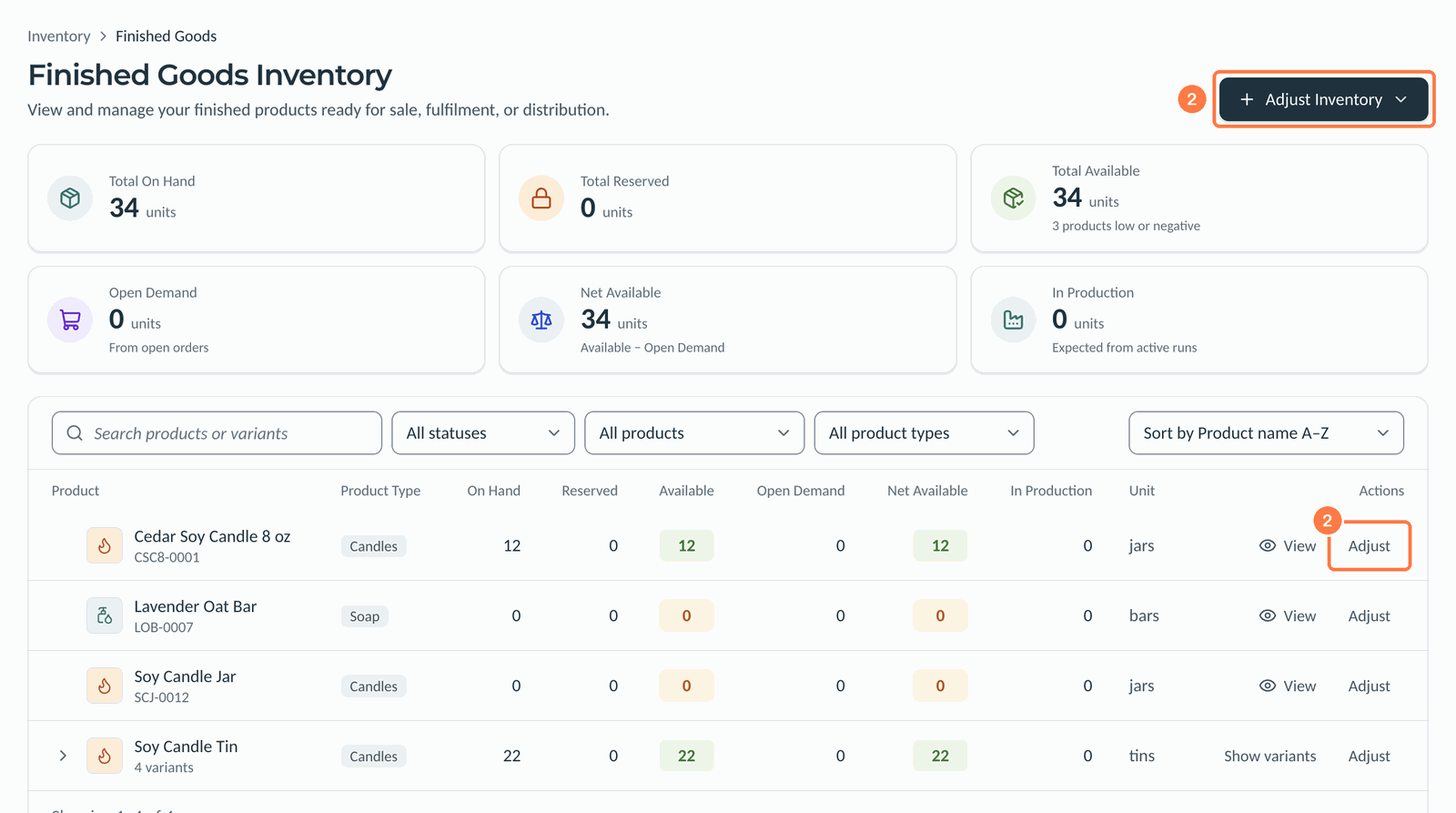
- Go to Inventory, then Finished Goods.
- Click Adjust on the product's row, or click Adjust Inventory at the top right and choose Adjust Inventory again from its menu. If you used the top button, choose the Product.
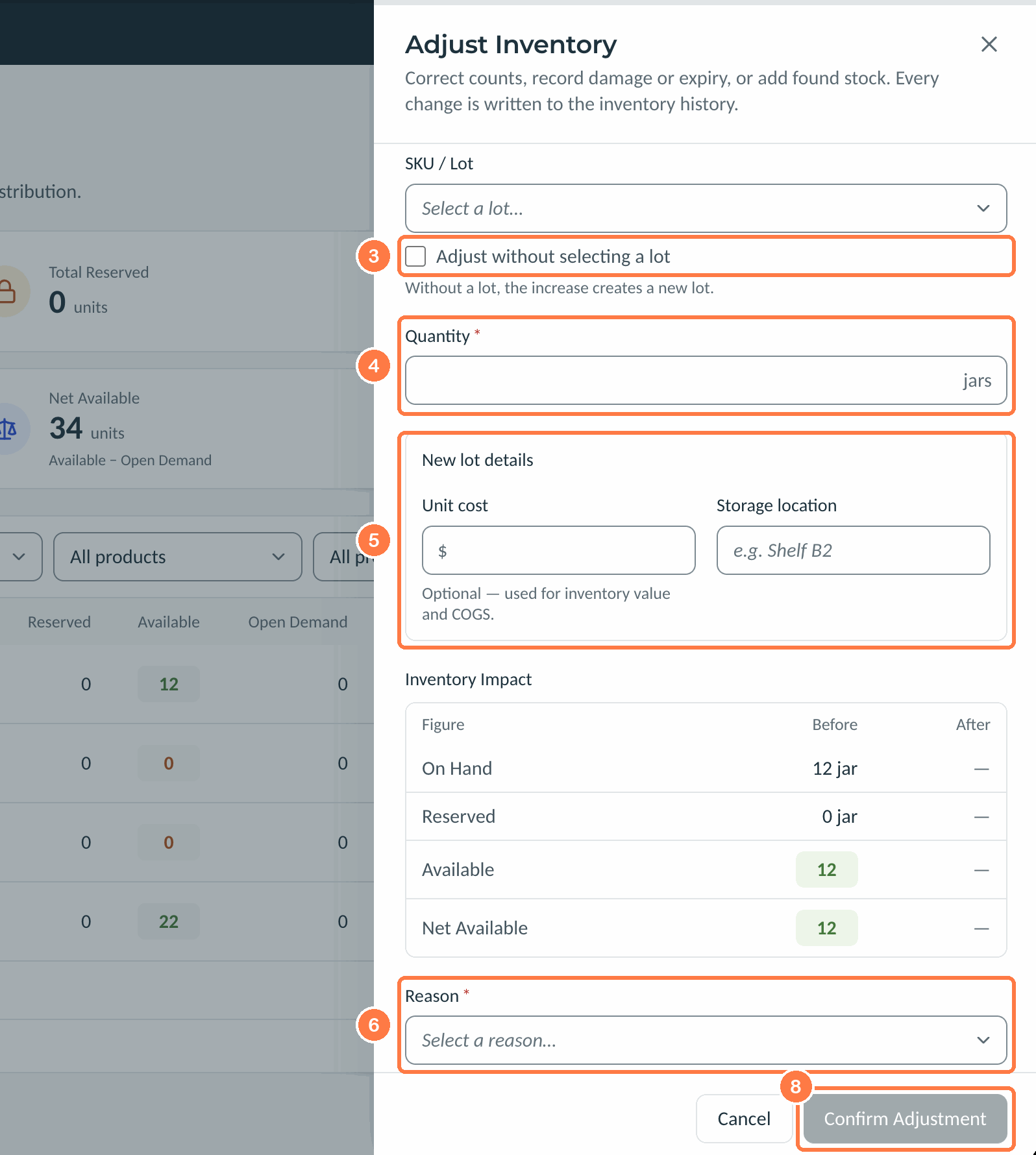
- Under Adjustment, choose Increase. If the product already has lots, leave SKU / Lot empty and check Adjust without selecting a lot, so the increase creates a new lot.
- Enter the Quantity.
- Under New lot details, enter the Unit cost. Without it, the stock has no value and orders shipped from it have no cost of goods to draw on. Add a Storage location if you use one.
- For Reason, choose Found stock.
- Put your own batch number and date in Note.
- Click Confirm Adjustment.
 (view larger)
Kerno numbers the lot (FG-1001 and on).
Other changes
The same form corrects counts and records damage or expiry. Choose Decrease to take stock out, and choose the lot under SKU / Lot. With Adjust without selecting a lot, stock is taken by the product's allocation method. The Reason choices are Count correction, Damaged, Expired, Quality rejection, Sample / giveaway, Found stock and Other.
Not built yet: a lot number and expiration date when you add finished goods by hand. Tell us if you need them.
Related articles
Still need a hand?
Our support team is here when you need a person.